Configure Cherry Studio to Connect to Grsai in 5 Minutes, Achieving Freedom to Ask Questions and Draw Drawings with Gemini 3 Pro
I. Appeal Methods After Gemini Pro Student Certification Is Canceled
Why did Gemini Pro student certification disappear? Why is the Pro model gone? The account I just bought stopped working after a short time, appeals don’t go through, buying a new account risks getting banned again — what to do?
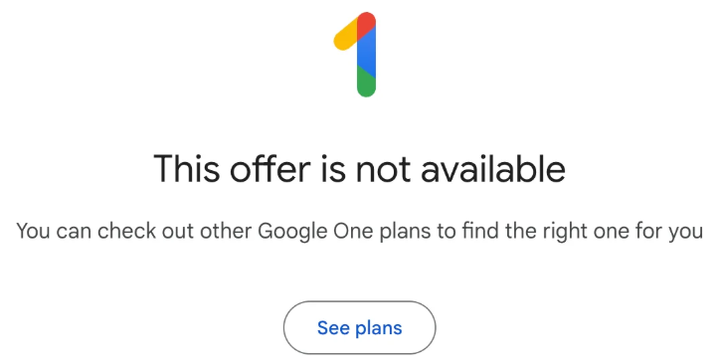
Many people are facing the same issue recently: the Gemini Pro student certification account they bought stops working after a few days, popping up notifications like “Offer Canceled” for Gemini 3 Pro, “Account Abnormal”, “Plan Expired”, etc. In the model selection list, the Pro option is suddenly missing. Some notifications have an appeal entry; if you’re lucky, the appeal goes through; if not, there’s no way back. This is because Google is massively clearing out Gemini Pro student subscriptions, cracking down on multi-account binding with one ID and tools bypassing certification. Users who fail verification lose subscription access. Touching any of the following red lines almost guarantees a ban: one student ID bound to multiple accounts, unclean nodes, frequent IP switching, virtual cards used by multiple people, inactivity, etc.
What should you do if your student discount was canceled? If you’re a real foreign student, you can try appealing to the official side by providing proof of enrollment (photo holding student ID with face in campus background). If you’re a domestic user and can’t provide strong evidence, you can try emotionally appealing to customer service — there is a probability of success, but no guarantee.
- Email appeal: customerservice@sheerid.com
- Contact SheerID support team form: support.sheerid.com/help-center/contact-form
Appeal template: Dear Google Support Team. My Google account was suspended for being “created or used alongside multiple other accounts.” I confirm this account was manually registered and used solely by me — not by automated programs, in bulk, or shared with others. I suffer from severe depression and rely on AI tools like Gemini for daily psychological regulation and cognitive training, which are vital to my well-being. Losing access has significantly impacted my mental health. I kindly request a review and restoration of my account. I am ready to provide any verification needed. Thank you
If that doesn’t work, you have no choice but to switch to other channels. The $199 annual subscription is really too expensive — converted to RMB it’s about 1380, not counting VPN costs. Very few students or working people can afford it, so many choose third-party mirror platforms or third-party tools to continue using Gemini series models.
II. Calling Gemini Official Source API — Grsai
A more direct, flexible, and money-saving approach is to directly call the Gemini source API instead of choosing third-party platforms that earn the difference as middlemen. By accessing the Gemini source API — Grsai API (https://grsai.com , you can call Gemini-3-Pro (questioning/multimodal) and Nano Banana Pro (image generation) and other models at extremely low cost. The effect is exactly the same as official, but the price is on a completely different level:
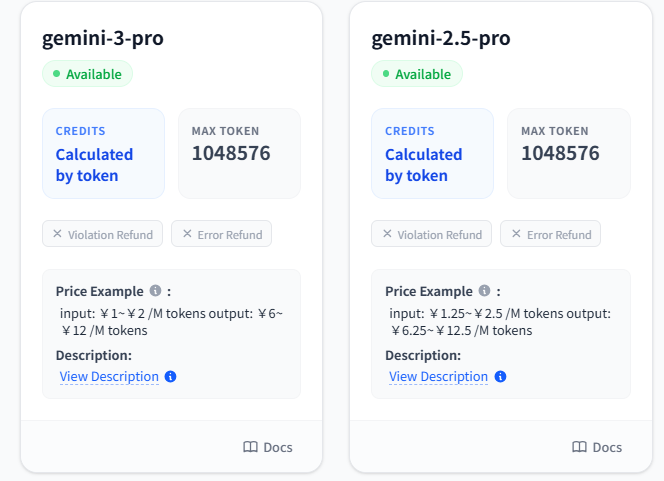
- Nano Banana Pro — $0.09 per image (Grsai has optimized Nano-Banana-Pro to ensure no lag/no timeout during peak hours)
- Gemini-3-Pro: input $1~$2 /M tokens, output $6~$12 /M tokens
- Gpt-image-1.5–$0.02 per image
- Nano Banana —$ 0.022 per image
- Sora2–$0.08 per clip
- Veo3.1–$0.4 per clip
You don’t have to pay high subscription fees, and you don’t have to worry about student account bans. API calling is pay-per-use — pay only for what you use. Ordinary users/creators won’t even spend $199 in a year. In the Grsai backend “Logs”, you can also view the credit deduction for each entry, and whether failed requests refund credits can be checked in the model list — each model is different.

Combined with the open-source free Cherry Studio (desktop client requires download and installation) + Grsai API + batch generation tool, you can achieve a one-stop low-cost solution for questioning + image generation + batch production, completely saying goodbye to the pitfalls of web version subscriptions.

III. Cherry Studio Accessing Grsai API Tutorial
Cherry Studio is a completely open-source free desktop AI client that supports Windows, macOS, and Linux systems. It integrates various mainstream large models into one clean interface. You only need to configure the API simply to freely call different model services without frequently switching web pages or apps.
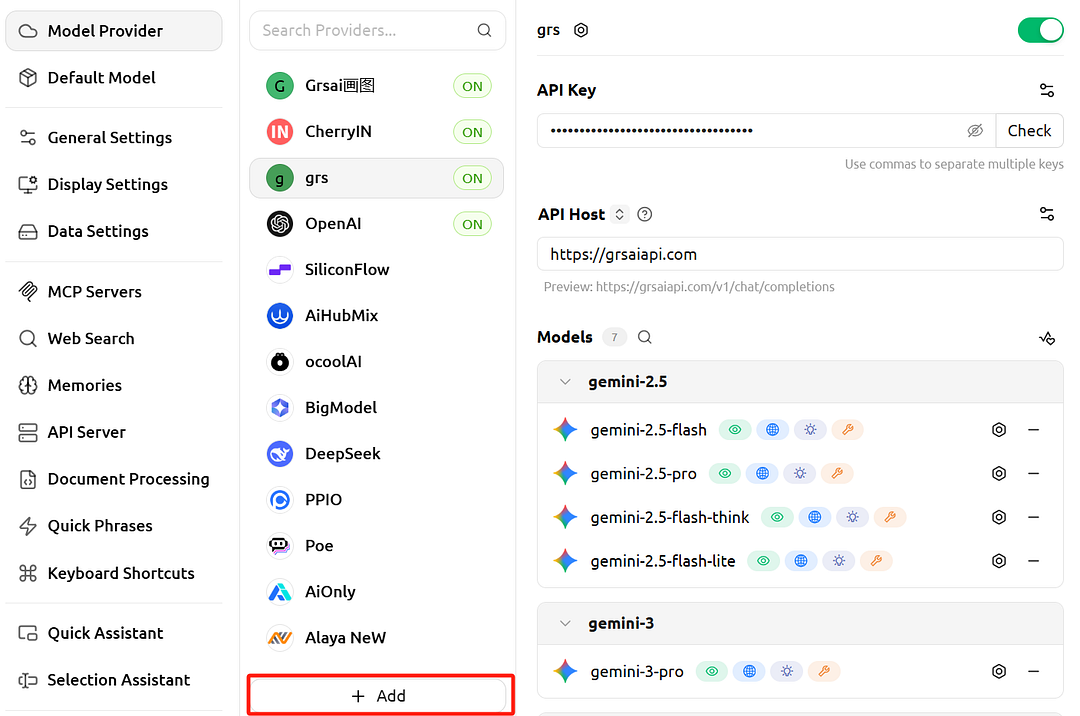
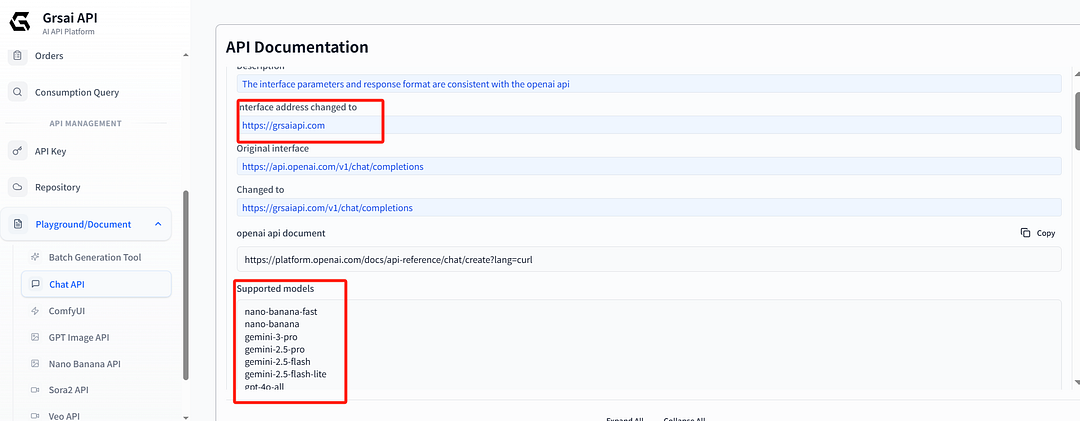
Below are detailed configuration steps for the Grsai platform. Follow them and you can basically use Gemini-3-Pro and Nano Banana Pro models in 3–5 minutes. Most important reminder: model names must be directly copied and pasted from Grsai’s official development documentation (Chat API section). Never type them manually! Even one extra space or wrong case will cause connection failure.
1.Enter settings page: Download and install: https://www.cherry-ai.com/, launch Cherry Studio, then click the “Settings” icon in the upper right corner (usually a gear shape).

2.Add model service: In the settings menu, find and click “Model Service”, click add, enter provider name (custom, anything is fine), both OpenAI and Gemini providers are supported.

3.Fill in provider information:
Create ApiKey in Grsai console ( https://grsai.com/dashboard/api-keys , copy and paste.
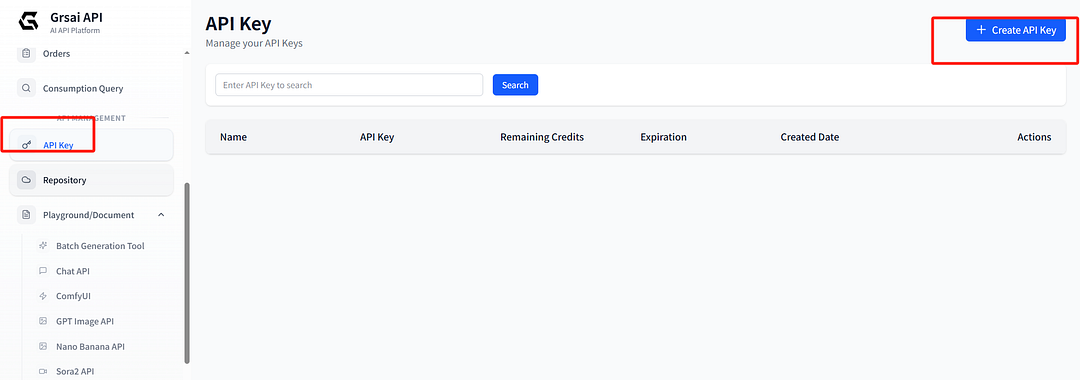
Paste ApiKey in Cherry Studio (keep confidential, do not leak) and API address: https://grsaiapi.com
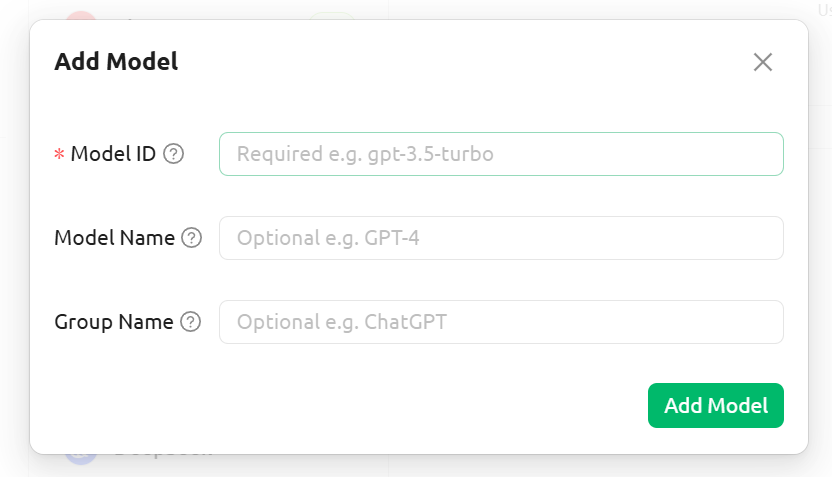
Fill in model names: Image generation models:
- nano-banana-fast
- nano-banana-pro
Questioning models:
- gemini-3-pro
- gemini-2.5-pro
After setting, return to the assistant page, select the model to use.

After configuration, Cherry Studio becomes your AI image generation and questioning assistant, but Cherry Studio is inconvenient for batch image generation because you have to wait for the conversation to finish each time before continuing to ask questions. If you have batch image generation needs, Cherry Studio is not suitable for you. You can use the open-source free batch image generation tool provided by Grsai — tutorial below.
IV. AI Batch Generation Tool Usage Tutorial
Grsai provides an open-source batch generation tool, suitable for designers or enterprises that need batch image generation. Configure APIkey to use it for free, no limit on concurrent tasks, tasks can generate simultaneously, and you can batch download. Note that images/videos are only saved for two hours, and the task queue holds a maximum of 200 tasks — beyond that, the oldest tasks are automatically deleted. Supports Sora2, Gpt-image-1.5, Nano banana, Nano Banana Pro, Veo models.
1.Obtain APIKey: Grsai console settings ApiKey ( https://grsai.com/dashboard/api-keys)copy ApiKey
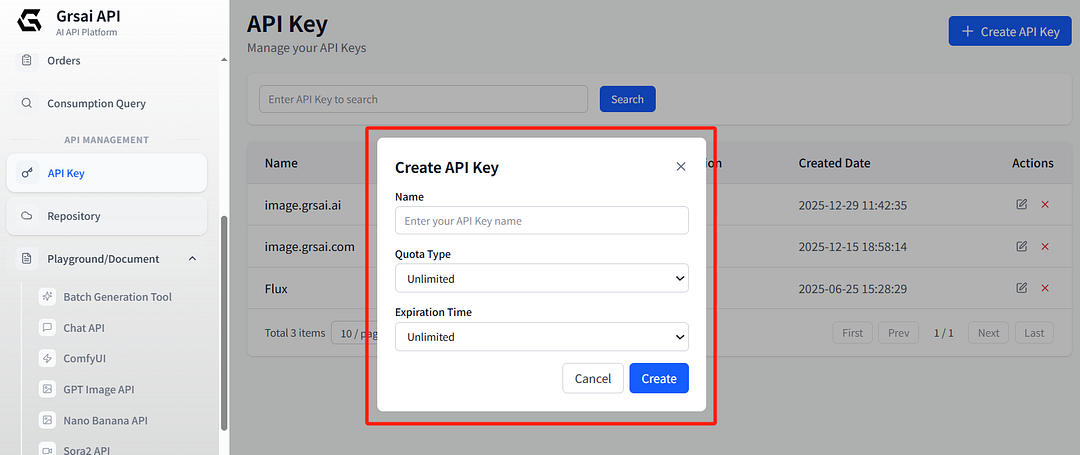
2.Configure API: Open the batch image generation tool (https://image.grsai.com/ ), upper right corner settings APIKey, paste your API Key
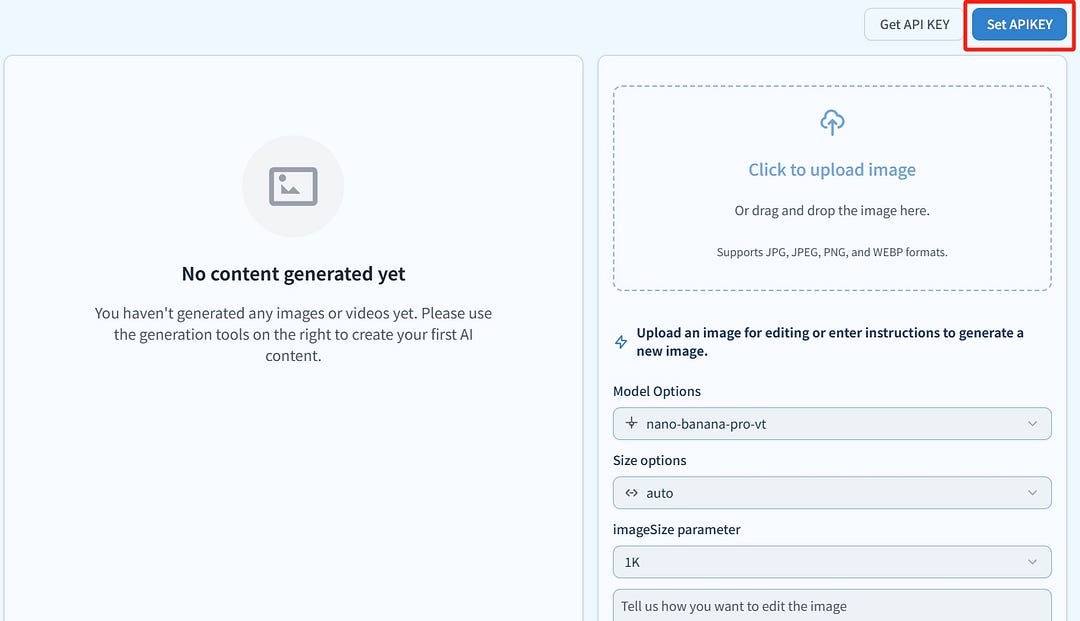
3.Generate: Upload images, select model, size, input prompt words to use
Directly using the batch generation tool, you can efficiently handle large batch tasks without waiting for slow draws.
V. Summary
Gemini 3 Pro student discount suspension and peak hour instability are indeed problems, but through Grsai’s official API proxy + Cherry Studio and batch generation tool, you can easily solve them. Avoid ban risks, enjoy low-cost, high-stability, high-concurrency model usage experience. Most importantly, Grsai has optimized the Nano Banana Pro issue of timeouts starting in the afternoon, making your usage smoother. If you have questions, feel free to leave a comment.


评论
发表评论